Start Creating →
Marketing preview · availability varies
✦ CREATE WITH A WHOLE STUDIO BEHIND YOU

One idea.
An entire story in motion.

Take an idea from its first spark to script, scenes, voice, video and beyond. A connected creation journey, with every decision in your hands.

Interactive design concept · illustrative content, not a live project
✦ Idea to script▧ Smart storyboard◈ Project Brain◉ Creative review⌁ Publish & learn
✦Your ideaJust one spark to begin
▧3 scenes plannedReview each decision
✓Source linkedContext stays connected
Creator Studio · Three-minute desk resetWORKSPACE PREVIEW ◇
NEW CREATION / EPISODE 01● Draft preview

Three-minute desk reset

The idea
Help busy people reset their workspaces
An easy-to-follow, 3-minute visual explainer with practical steps.
Explainer3 minEnglish16:9
Planned structure
Your script · 3 sections
01
Start with a clear surface“Give yourself a fresh canvas to work from.”
02
Keep only the essentials“Make space for what matters today.”
03
Build a simple daily ritual“A little reset goes a long way.”
Your shot plan · select and review
01 · EstablishOpening shot
02 · SimplifyWorkspace detail
03 · ResetFinal reveal
Visual promptsScene referencesShot timing
Review before production
✓ Script sections preparedStructured
✓ Shot plan organizedReviewable
◷ Approved production mediaNeeded
◷ Real narration & outputNot verified
Sample content · no provider calls
ONE CONNECTED FLOWIdea→Script→Scenes→Video→Growth
01 / FROM NOTES TO NARRATIVE

Your idea deserves
a real production plan.

Start from a few words, a complete script or a source document. Organize the story into sections, episodes and shots—without losing sight of where the content came from.

Source intakeScript sectionsSeries & episodesReviewable drafts
✦ CONTENT TO CREATION Sample flow
▤Your sourceIdeas, notes, script or uploaded document
≡Story structureEditable sections, series, and episode outlines
▧Shot planVisual prompts, scenes and review states
02 / VISUAL STORYTELLING

Picture the scene.
Then bring it to life.

Give every line a visual direction. Plan the scene, choose references, set shot timing and keep a consistent look across an entire series. You approve what moves forward.

Shot-by-shot planningScene referencesVisual consistency
STORYBOARD · 3 VISUAL SHOTS
01 · EstablishWide workspace shot
02 · FocusHands, tools, details
03 · RevealThe finished moment
✦ YOUR CREATIVE DIRECTIONShots are plans until media is reviewed
◈ SERIES EVIDENCE MAP● Source context
DOCUMENTResearch notes · Section 02
SCRIPTEpisode 01 · Opening
PROJECT BRAINIndexed project context
✦ LINKED STORY CONTEXT

See the sources and review findings connected to the section or shot you are working on.

Passage A Finding 02
Illustration only · source links and associations are not factual verification
03 / INTELLIGENCE WITH CONTEXT

A story with depth.
Not disconnected prompts.

Bring source passages, research notes, citations and Project Brain context closer to the script and storyboard. Review continuity and evidence across episodes in one connected workspace.

Project Brain contextSource evidenceCross-episode review
04 / EVERY DETAIL IN ITS PLACE

All the pieces.
Beautifully connected.

Your words, visuals, voice and creative decisions come together in a single guided journey.

VOICE & CAPTIONS

Give your story a voice.

Plan narration, review timing, attach spoken audio and prepare captions that work with your scenes.

CREATIVE REVIEW

Know what needs attention.

Review missing media, citations, duration conflicts and continuity findings before production.

✓ Source structure Reviewable
◷ Media references Needs approval
◈ Episode continuity Inspect
BRAND & SERIES

Make every episode feel yours.

Keep your channel styling, recurring scenes and visual preferences together across the series.

Episode 01Episode 02
↗ Shared visual direction
05 / BEYOND THE FINAL FRAME

Create the video.
Learn what comes next.

Bring approved exports toward connected destinations, then inspect performance and turn evidence-backed observations into ideas for the next episode. Publishing and live analytics require separately qualified accounts and services.

Platform-aware planningApproval-first publishingEvidence-based insights
✦ CREATOR GROWTH DASHBOARDIllustrative metrics
Choose a destination to preview its planning context:
Views 24.8k
Watch time 1.2k
Engagement 7.4%
YouTube & Shorts · sample chartIllustrative · not connected
THE CREATIVE JOURNEY STARTS HERE

Your next big story
begins with one idea.

Start small. Shape the story. Review every frame. Grow with what you learn. Creator brings the pieces together.

Interactive marketing concept, not a live Creator session. All project content and measurements shown are invented examples. AI generation, Save/Resume, publishing and connected analytics remain subject to the current release and qualification gates. No button here sends data, incurs charges or edits a project.

ZOVOZ CREATOR STUDIO

One idea. A whole creative workspace.

Prepare content, shape episodes, and bring your story into the Editor.
Start Creating
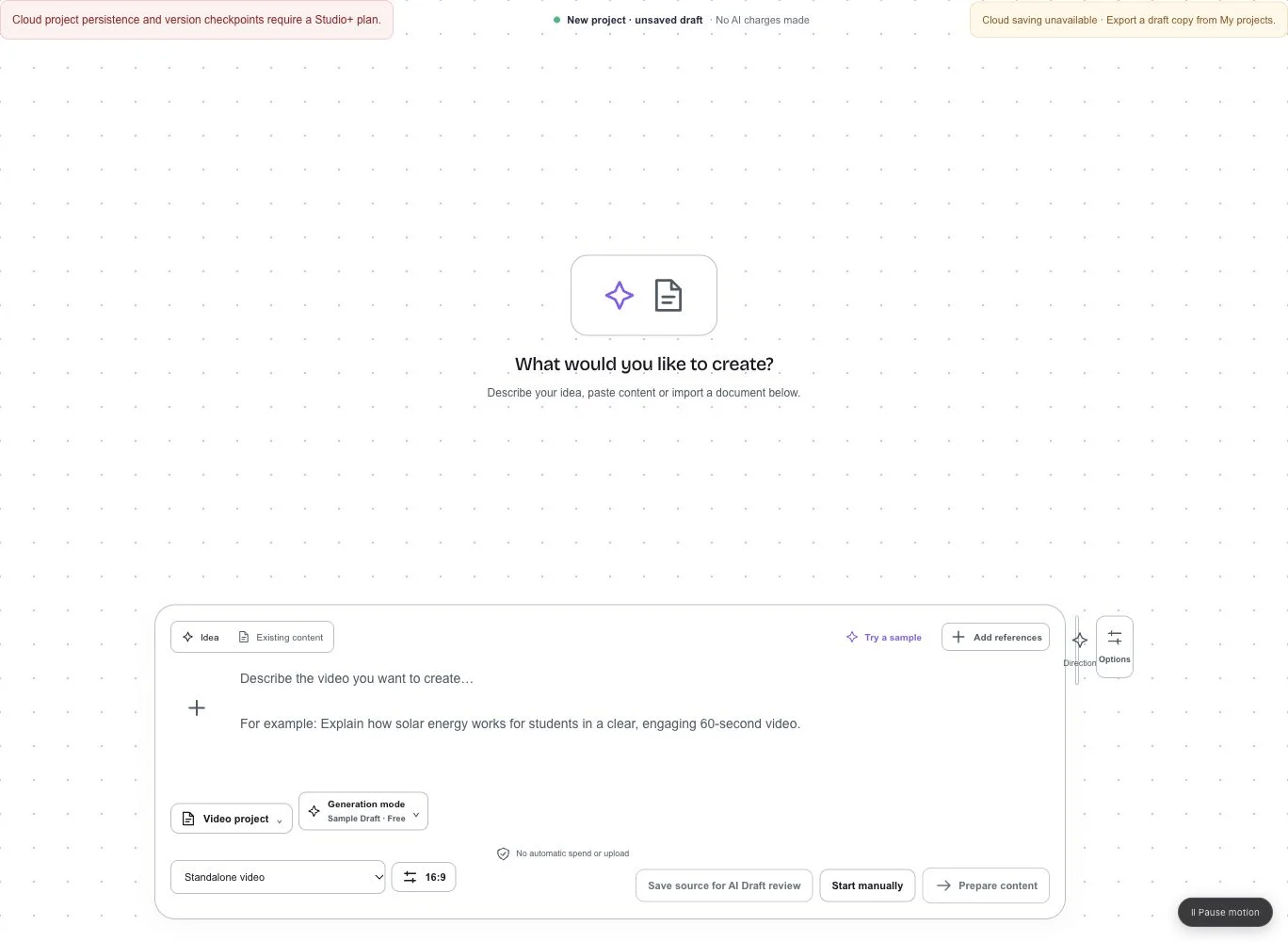
ZOVOZ Creator Studio with idea and existing content preparation, Video project selection and compact output settings
Prepare Content · Video project
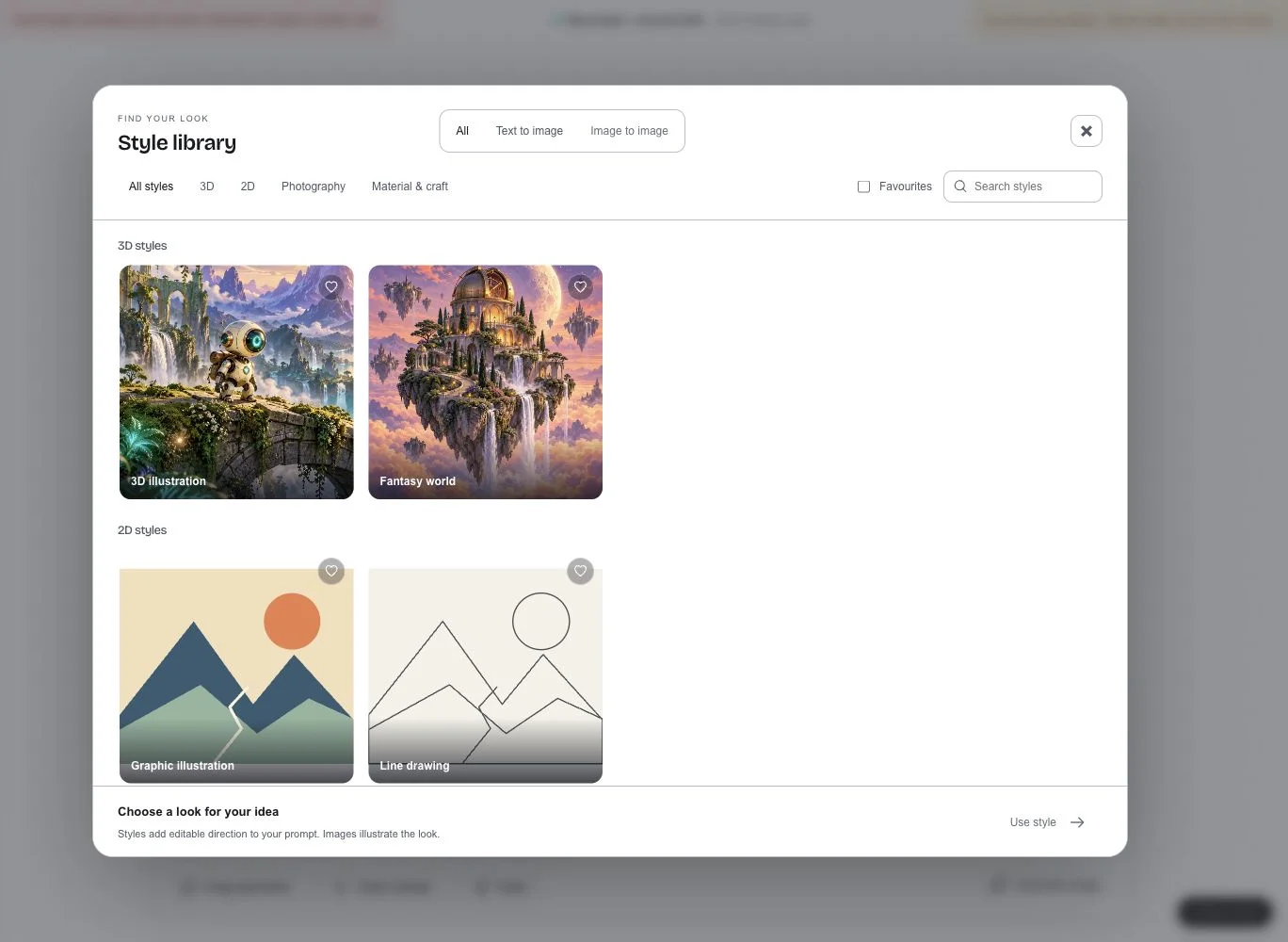
ZOVOZ image creation controls and visual Styles gallery
Image & Video generation · Styles
Prepare ContentSeries & EpisodesPlanScriptStoryboardReview

Explore visual Styles across 3D, 2D, Photography and Material & Craft. Keep model choices, generation settings and selected results together with your project.

Product captures from the local preview. AI generation, cloud Save, publishing and connected analytics depend on your workspace, plan and feature availability. Unavailable actions are disabled in the app.

Creator Studio — from idea to story | ZOVOZ